
A stuck key, a dark porch, and a guest waiting on the mat is the classic reason people upgrade the front door. If you are shopping for the best smart door locks in 2026, prioritize built-in Wi-Fi (or a clear bridge requirement), a physical key backup, keypad or phone unlock that fits your household, and install type—full deadbolt replacement versus a retrofit that keeps your existing lock. Higher-ticket models from Schlage and Yale dominate recent Wirecutter and Consumer Reports coverage for good reason: reliability, alarm features, and ecosystem support matter more than the cheapest gadget on the listing page.
This guide is a research roundup, not a hands-on lab. We lean on Wirecutter and Consumer Reports coverage plus brand specs for five current picks: the Schlage Arrive as the default overall choice, Schlage Encode Plus for Apple Home Key, Yale Assure Lock 2 for a full keypad replacement, Yale Approach for retrofit installs, and the Wyze Lock Bolt as the budget keyed option. Always check current Amazon price—street pricing swings hard—and confirm door thickness, backset, and Wi-Fi or bridge needs on the listing before you buy.
Quick picks
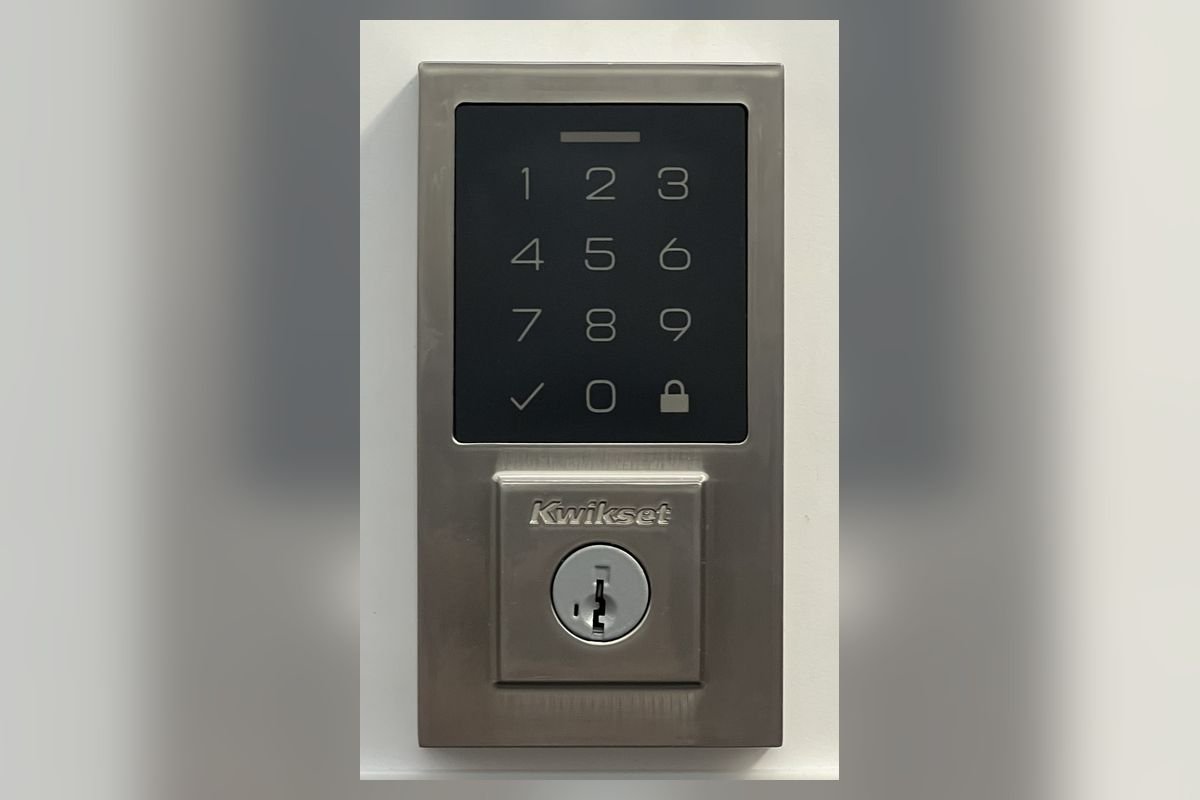
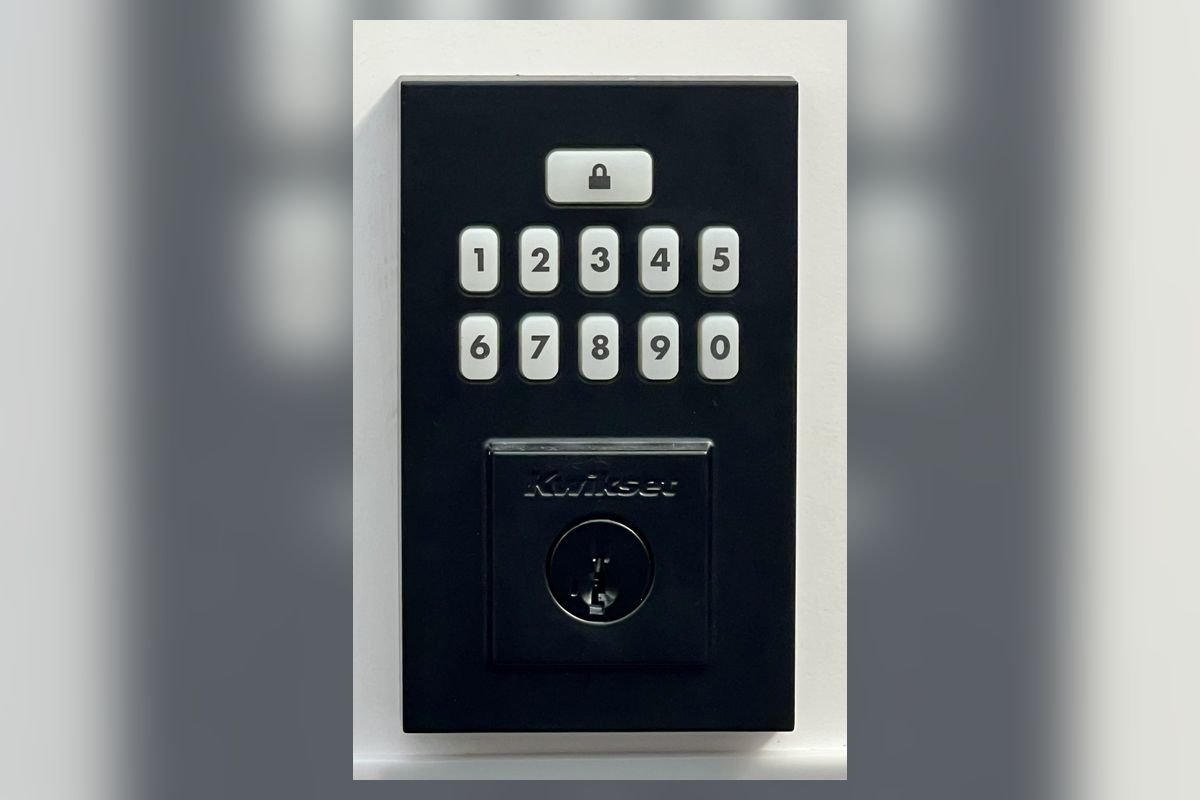
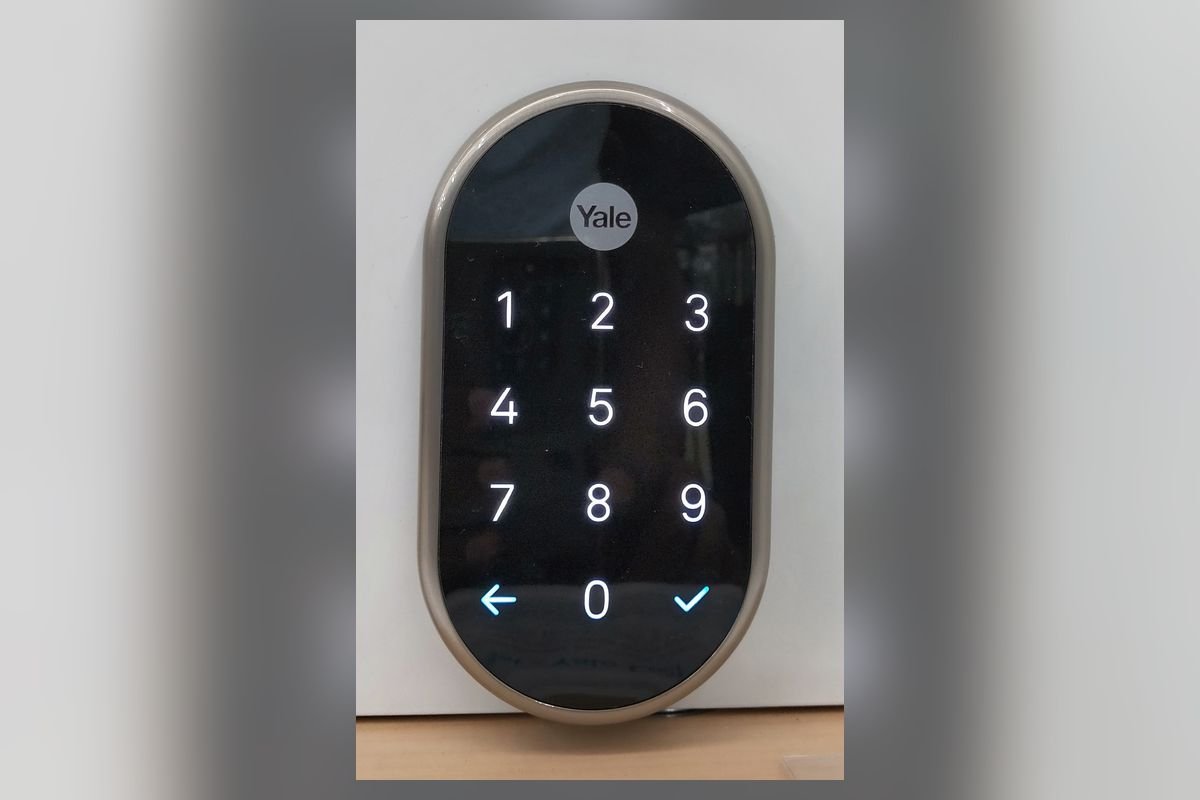
*Street prices move constantly on Amazon and during sales. Always check current Amazon price before you buy. Confirm the exact model (Arrive vs Encode Plus, Assure Lock 2 Wi-Fi vs Bluetooth-only, Approach kit contents, Wyze bridge needs).
How we chose
This guide is a research roundup for Home Upgrade Atlas—not a hands-on lab test. We prioritized models that:
- Fit real front-door jobs — deadbolt-class smart locks with keypad and/or phone unlock, plus a path to remote access (built-in Wi-Fi or a disclosed bridge).
- Show up in reputable 2025–2026 coverage — especially Wirecutter’s smart lock guides and Consumer Reports lock testing—or publish clear install and ecosystem specs on brand pages.
- Serve distinct jobs — overall Wi-Fi default, Apple Home Key, full keypad replacement, retrofit/keep-existing-deadbolt, and budget keyed entry.
- Keep a physical backup where possible — keyed cylinders or documented emergency access matter when batteries die or apps fail.
- Disclose limits honestly — Wi-Fi bridge kits, door thickness/backset, HomeKit vs Alexa/Google differences, and the gap between “works with smart home” marketing and what you must buy in-box.
Smart entry pairs with the rest of a connected foyer. Schedule porch lights or a fan on a smart plug, tighten whole-home climate with a smart thermostat, and tidy shoes and bags with an entryway storage bench. Damp mudrooms still need moisture control—see our basement dehumidifier guide when humidity creeps in from below.
Best overall: Schlage Arrive Smart WiFi Deadbolt
Who it’s for: Most homeowners who want a research-backed Wi-Fi deadbolt with a rubber keypad, physical key backup, and no separate hub as the default path.
Wirecutter’s 2026 smart-lock coverage has put the Schlage Arrive Smart WiFi Deadbolt at or near the top of overall rankings. Brand and retailer materials emphasize built-in Wi-Fi (so remote lock/unlock and alerts do not depend on a proprietary bridge in many setups), a durable rubber keypad for PIN codes, and a traditional key cylinder when phones or batteries are not an option. That combination—research visibility plus everyday unlock modes—makes Arrive the default best smart door locks starting point for US front doors in this roundup.
Typical street pricing lands near ~$220–$300—check current Amazon price. Confirm finish (often satin nickel / matte black class options on listings), door thickness, and backset before ordering. If you specifically need Apple Home Key tap-to-unlock, skip to Encode Plus below rather than forcing Arrive into a HomeKit-first household.
Key specs (brand + Wirecutter context): ~$220–$300; built-in Wi-Fi; rubber keypad; physical key backup; Schlage app / smart-home paths per listing—check current Amazon price.
Pros: Wirecutter 2026 top-pick context; built-in Wi-Fi story; keypad + key backup; solid mid-premium price band.
Cons: Not the Apple Home Key specialist; finish and exact SKU variants need careful listing checks; batteries still need replacement on a schedule.
Bottom line: If you want the default research-backed best smart door locks pick in 2026 and do not need Home Key, start with Schlage Arrive.
Best Apple Home Key: Schlage Encode Plus Smart WiFi Deadbolt (BE499)
Who it’s for: Apple Home / HomeKit households that want tap-to-unlock with Home Key on iPhone or Apple Watch, while still keeping Alexa/Google paths and alarm-style features.
The Schlage Encode Plus (BE499 / Encode Plus) is the Apple-forward sibling in Schlage’s Wi-Fi deadbolt line. Brand materials highlight Apple Home Key support alongside Alexa and Google assistant paths, built-in Wi-Fi, and alarm / tamper-style features that matter when the lock sits on a street-facing door. Compared with Arrive, you typically pay more for the Home Key and Encode Plus feature set—street pricing often sits near ~$280–$360—check current Amazon price.
Treat Encode Plus as the pick when your household already lives in Apple Home and wants the lock to feel native there. Confirm the exact BE499 Encode Plus listing (not older Encode-only SKUs) and that your Home hub setup matches current Apple requirements.
Key specs: ~$280–$360; Apple Home Key; built-in Wi-Fi; Alexa/Google support per brand copy; alarm features—check current Amazon price.
Pros: Best Home Key story in this roundup; multi-assistant reach; Schlage Wi-Fi platform.
Cons: Higher sticker than Arrive; Apple-centric value drops if you never use HomeKit; verify BE499 vs lookalike Encode listings.
Bottom line: Best pick when Apple Home Key is a must—not when you only need Alexa PIN codes and Wi-Fi alerts.
Best full keypad replacement: Yale Assure Lock 2 (Wi-Fi model, e.g. YRD450-WF1)
Who it’s for: Shoppers replacing the entire deadbolt who want a clean keypad face, strong Consumer Reports-style performance context, and a Wi-Fi model with a reputation for straightforward setup.
The Yale Assure Lock 2 family (Wi-Fi examples such as YRD450-WF1) shows up as a strong performer in Consumer Reports lock coverage and as a frequent “easy setup” story in retailer and brand materials. You swap the mechanical deadbolt for a full smart unit with keypad entry and app control; choose the Wi-Fi Assure Lock 2 variant when remote access matters—Bluetooth-only siblings will not match that job. Street pricing for Wi-Fi configurations often lands near ~$200–$280—check current Amazon price.
Confirm the exact model string on the listing (YRD450-WF1 or the current Wi-Fi Assure Lock 2 equivalent), finish, and whether a module is built-in or sold separately on older Assure generations. Pair guest codes with a tidy foyer—our entryway bench guide helps when the lock upgrade also sparks a mudroom refresh.
Key specs: ~$200–$280; full deadbolt replacement; Wi-Fi Assure Lock 2 class (e.g. YRD450-WF1); keypad; CR strong-performer context—check current Amazon price.
Pros: Strong CR research context; clean full-replacement install; competitive mid-range pricing.
Cons: Model-number maze (Wi-Fi vs Bluetooth); not a keep-your-deadbolt retrofit; Apple Home Key is not the headline vs Encode Plus.
Bottom line: Best full keypad replacement when you are ready to swap the whole deadbolt and want a CR-backed Yale Wi-Fi path.
Best retrofit (keep existing deadbolt): Yale Approach Lock with Wi-Fi + Keypad
Who it’s for: Renters and homeowners who want smart unlock without replacing a door’s existing deadbolt hardware—Wirecutter’s adapter-style / retrofit pick in recent coverage.
The Yale Approach Lock with Wi-Fi + Keypad is aimed at smartening an existing deadbolt rather than swapping the whole lockset. That retrofit approach is why Wirecutter has highlighted Approach-class adapters for shoppers who like their current mechanical lock, face landlord rules, or simply want less door surgery. Expect street pricing near ~$180–$250—check current Amazon price—and read the listing carefully for what is included (Wi-Fi path, keypad module, compatibility with your deadbolt brand/shape).
Retrofit kits are only as good as mechanical fit. Measure clearance on the interior side of the door, confirm Approach’s published compatibility list, and plan battery access. If your deadbolt is oddball or the Approach kit will not seat cleanly, a full replacement like Arrive or Assure Lock 2 is usually cleaner long-term.
Key specs: ~$180–$250; retrofit / keep existing deadbolt; Wi-Fi + keypad kit; Wirecutter adapter-pick context—check current Amazon price.
Pros: Keeps existing hardware; research-backed retrofit lane; often less invasive install.
Cons: Fit-dependent; can look bulkier than a purpose-built deadbolt; confirm kit contents vs older Approach SKUs.
Bottom line: Best pick when “do not replace my deadbolt” is the hard constraint.
Best budget: Wyze Lock Bolt
Who it’s for: Buyers who want a keyed smart deadbolt under roughly $130 and are willing to confirm Wi-Fi bridge / hub needs on the current Amazon listing.
The Wyze Lock Bolt is the budget lane in this roundup: a keyed smart deadbolt at a lower sticker than Schlage and Yale Wi-Fi flagships. Typical street pricing sits near ~$80–$130—check current Amazon price. Wyze’s ecosystem often relies on a bridge or gateway for full remote Wi-Fi features on lock products—always confirm on the listing whether a bridge is included, sold separately, or required for the features you care about (remote unlock, notifications away from Bluetooth range).
Budget locks trade research-top-pick status and some polish for price. Use Wyze when the alternative is staying on a dumb deadbolt; step up to Arrive or Assure Lock 2 when you want Wirecutter/CR-backed defaults and clearer built-in Wi-Fi stories.
Key specs: ~$80–$130; keyed smart deadbolt; confirm Wi-Fi bridge needs on listing; Wyze app ecosystem—check current Amazon price.
Pros: Lowest price band here; keyed backup; enough smart features for many first upgrades.
Cons: Not the Wirecutter/CR overall pick; bridge/hub details can surprise buyers; fewer “premium door hardware” finishes.
Bottom line: Best budget best smart door locks option when sticker price leads—and you verify bridge requirements before checkout.
Buying guide: what matters on a smart deadbolt
Built-in Wi-Fi vs bridge. Remote unlock and away-from-home alerts usually need either built-in Wi-Fi (Arrive, Encode Plus, many Assure Lock 2 Wi-Fi SKUs) or a bridge/gateway (common on some Wyze and older Bluetooth locks). Read the “What’s in the box” section; a low sticker that needs a $30–$50 bridge is not always cheaper.
Keypad, phone, and key backup. Households with kids, guests, and cleaners love PIN codes. Phone unlock (app, Home Key, NFC) is convenience. A physical key cylinder remains the fail-safe when batteries die at midnight. Prefer locks that document all three paths clearly.
Apple Home Key vs Alexa/Google. Home Key on Encode Plus is the cleanest Apple story in this list. Alexa- and Google-first homes can stay on Arrive, Assure Lock 2 Wi-Fi, or Approach and still get voice/app control—match the ecosystem you already use daily.
Full replacement vs retrofit. Full deadbolts (Arrive, Encode Plus, Assure Lock 2) look cleaner and often feel more solid long-term. Retrofit (Approach) wins when you must keep the existing cylinder or minimize door work. Measure interior clearance either way.
Door thickness, backset, and handing. Smart locks fail installs more often from geometry than from Wi-Fi. Check door thickness range, 2-3/8 vs 2-3/4 in backset, and whether the lock is reversible. Apartment metal doors and thick custom slabs need extra caution.
Power and battery habits. Most smart deadbolts run on AA or proprietary packs. Enable low-battery alerts in the app, keep a spare set, and know where the mechanical key lives. Do not treat “years of battery life” marketing as a set-and-forget promise.
Security expectations. A smart lock is still a lock—pair it with a solid strike plate, decent exterior lighting, and sane code hygiene (unique guest codes, revoke when people move out). Alarm/tamper features on Encode Plus-class locks help; they do not replace basic door hardware.
Smart-home stack. Porch lights, cameras, and HVAC away modes complete the arrival routine. Start simple with our smart plugs for beginners and smart thermostat guides, and keep the foyer usable with an entryway storage bench. If indoor air quality is the next upgrade after sealing the door, see best air purifiers for apartments.
FAQ
What is the best smart door lock in 2026?
For most US front doors that want built-in Wi-Fi, a rubber keypad, and a physical key, the Schlage Arrive Smart WiFi Deadbolt is the research roundup default—Wirecutter’s 2026 top-pick context. Need Apple Home Key? Choose Schlage Encode Plus (BE499). Keeping your existing deadbolt? Look at Yale Approach.
Do I need a Wi-Fi bridge for a smart lock?
It depends on the model. Arrive, Encode Plus, and many Yale Assure Lock 2 Wi-Fi SKUs advertise built-in Wi-Fi. Budget options like the Wyze Lock Bolt may need a bridge for full remote features—always confirm on the Amazon listing before you buy.
What is Apple Home Key on a door lock?
Home Key lets compatible iPhone and Apple Watch devices unlock a supported lock (such as Schlage Encode Plus) through Apple Home, similar to a transit pass tap. You still want PIN and/or key backup for guests without Apple devices.
Can I install a smart lock without replacing my deadbolt?
Yes—retrofit products like the Yale Approach Lock with Wi-Fi + Keypad are designed to work with an existing deadbolt. Compatibility and interior clearance still matter; if the kit will not fit cleanly, a full replacement is usually better.
Are cheap smart locks safe enough?
Budget locks can be fine for many homes if you use unique codes, keep firmware updated, and maintain the mechanical door hardware. This roundup still favors Wirecutter- and CR-visible Schlage/Yale picks when the door is a primary security boundary and you can stretch into the ~$200–$300 band. Always check current Amazon price and read recent owner feedback on the exact SKU.
Verdict
Smart door shopping is an install-type + ecosystem + Wi-Fi problem. Match the job, then check current Amazon price:
- Schlage Arrive Smart WiFi Deadbolt — best overall best smart door locks pick for 2026 (Wirecutter top-pick context).
- Schlage Encode Plus (BE499) — best Apple Home Key + multi-assistant Wi-Fi deadbolt.
- Yale Assure Lock 2 (Wi-Fi, e.g. YRD450-WF1) — best full keypad replacement with strong CR context.
- Yale Approach Lock with Wi-Fi + Keypad — best retrofit when you keep the existing deadbolt.
- Wyze Lock Bolt — best budget keyed smart deadbolt (confirm bridge needs).
Before you buy, measure the door, confirm Wi-Fi vs bridge, set guest-code habits, and keep a mechanical key accessible. A lock that fits your ecosystem and installs cleanly beats a flashy listing you fight every time the Wi-Fi drops.
Finishing your front-door setup? A video doorbell pairs naturally with a smart lock: see who is there, then unlock from the same app. Compare Ring, Nest, eufy and budget options in our best video doorbells guide.
More buying guides on Home Upgrade Atlas
Browse all guides