

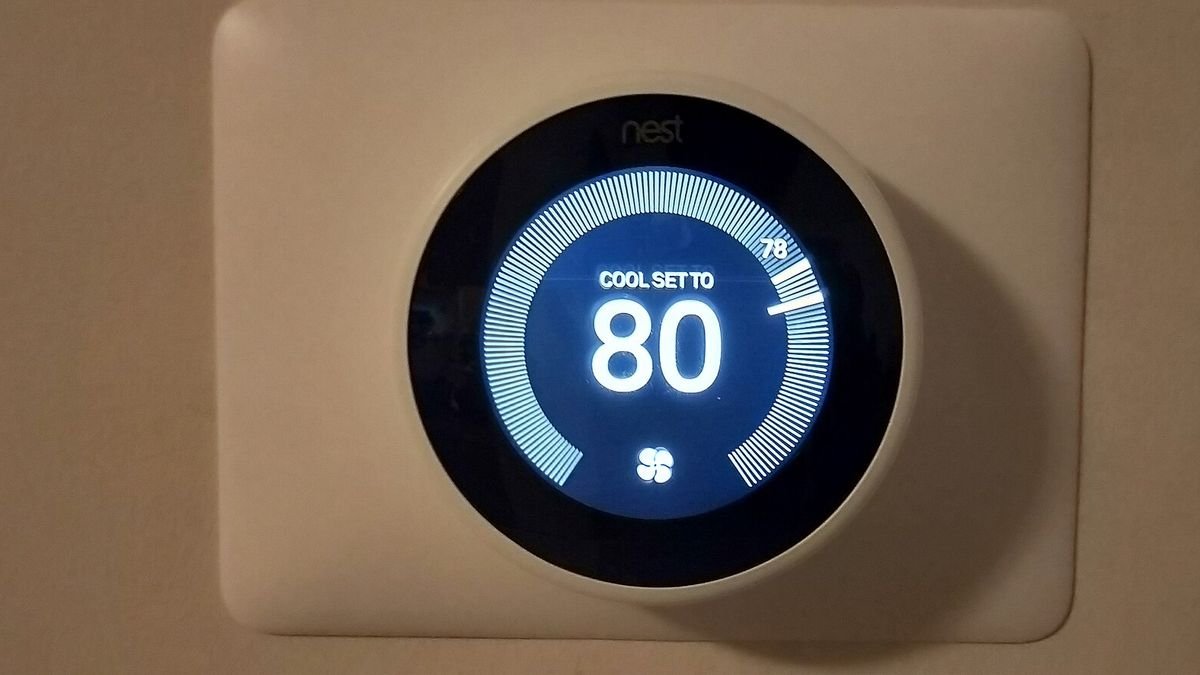
Pull an old thermostat off the wall and you’ll often find just three or four wires and nothing on the C (common) terminal. That’s the wire most smart thermostats want for steady 24-volt power. The good news: you rarely need to run a new cable. Some thermostats share power from the heating and cooling wires, and others come with (or sell) a small adapter that creates a C connection at the furnace. Below are eight picks that work without a C-wire, and exactly which systems still need one.
This guide is a research roundup, not a hands-on test. We did not install or test these thermostats ourselves. On November 16, 2026 we checked each maker’s compatibility and wiring pages, the current top results for this exact search, two Reddit threads from owners who hit C-wire problems, and CPSC recall data (details in How we picked). Every compatibility claim below comes from the maker’s own pages. Prices move a lot around Black Friday, so treat our ranges as a guide. Want the general roundup instead? See our best smart thermostats guide.
Quick answer: which no-C-wire option fits your system?
| What you find at the thermostat | What usually works | Picks that fit |
|---|---|---|
| 4 wires (R, G, Y, W), furnace plus central AC, no C | A power-sharing thermostat, or an included adapter at the furnace | ecobee Premium or Enhanced (kit included), Nest Learning, Nest Thermostat, Sensi, Sensi Lite |
| A spare, unused wire tucked behind the old thermostat | Connect it as C at both ends; any pick here works | Any, including the Amazon Smart Thermostat with no adapter |
| Heat pump, no C | An adapter, or a thermostat that doesn’t require one on your setup | ecobee with kit (4+ wires), Nest Learning (check Google’s checker); Sensi needs a C-wire; Nest Thermostat needs a C wire or Power Connector on single-stage heat pumps |
| Only 2 wires (heat-only boiler or furnace) | An adapter made for 2-wire systems, or a plug-in 24VAC transformer | Mysa with its C-Wire Adapter; ecobee’s kit needs 4+ wires |
| Two thick wires with wire nuts (120/240V baseboard) | Not a 24V system: none of these picks | Use a line-voltage thermostat instead |
Always run the maker’s online compatibility checker with your actual wire labels (not wire colors) before you buy.
Quick picks
Compare at a glance
| Award | Product | How it runs without a C-wire | Adapter in the box? | Still needs a C-wire or adapter for | Approx. price* | Shop |
|---|---|---|---|---|---|---|
| Best overall | ecobee Premium | Power Extender Kit (included) at the furnace | Yes | Needs 4+ wires (R, G, Y, W) for the kit; 24VAC only | ~$230–$260 | Check price on Amazon |
| Best value with an adapter in the box | ecobee Enhanced | Power Extender Kit (included) at the furnace | Yes | Needs 4+ wires; using the kit removes accessory control | ~$170–$200 | Check price on Amazon |
| Best if you don’t want to touch the furnace | Nest Learning (4th gen) | Power Sharing (no adapter in most homes) | No (Power Connector ~$25 if needed) | Under 1% of homes, per Google | ~$230–$280 | Check price on Amazon |
| Best budget Nest | Nest Thermostat | Power Sharing on heat + cool systems | No (Power Connector ~$25 if needed) | Heat-only, cool-only and single-stage heat pump systems | ~$100–$130 | Check price on Amazon |
| Best no-adapter pick with a classic look | Sensi Smart (ST55) | Power sharing on conventional heat + cool | No | Heat-only, cool-only, heat pump and zoned systems; also for Apple HomeKit | ~$100–$130 | Check price on Amazon |
| Best budget, no adapter | Sensi Lite | Power sharing on conventional heat + cool | No | Heat-only, cool-only and heat pump systems | ~$70–$90 | Check price on Amazon |
| Cheapest with a C-wire adapter | Amazon Smart Thermostat + adapter | C-wire adapter at the furnace (bundle or separate) | Only in the bundle | Always needs a C-wire or adapter; 2.4 GHz Wi-Fi only | ~$60–$80 + ~$25–$35 adapter | Check price on Amazon |
| Best for 2-wire boilers and millivolt heat | Mysa Smart Thermostat + adapter | Mysa Power C-Wire Adapter at the boiler or furnace | No (sold separately) | Always needs a C-wire or adapter; no accessory control | ~$140–$160 + ~$25 adapter | Check price on Amazon |
*Compatibility details come from each maker’s product, support and compatibility pages cited below, checked November 16, 2026. Prices are approximate ranges based on list prices and move a lot around Black Friday. Check the current Amazon price.
Best overall: ecobee Smart Thermostat Premium
Who it’s for: Most homes with a furnace or air handler you can open and at least four wires at the thermostat (usually R, G, Y and W).
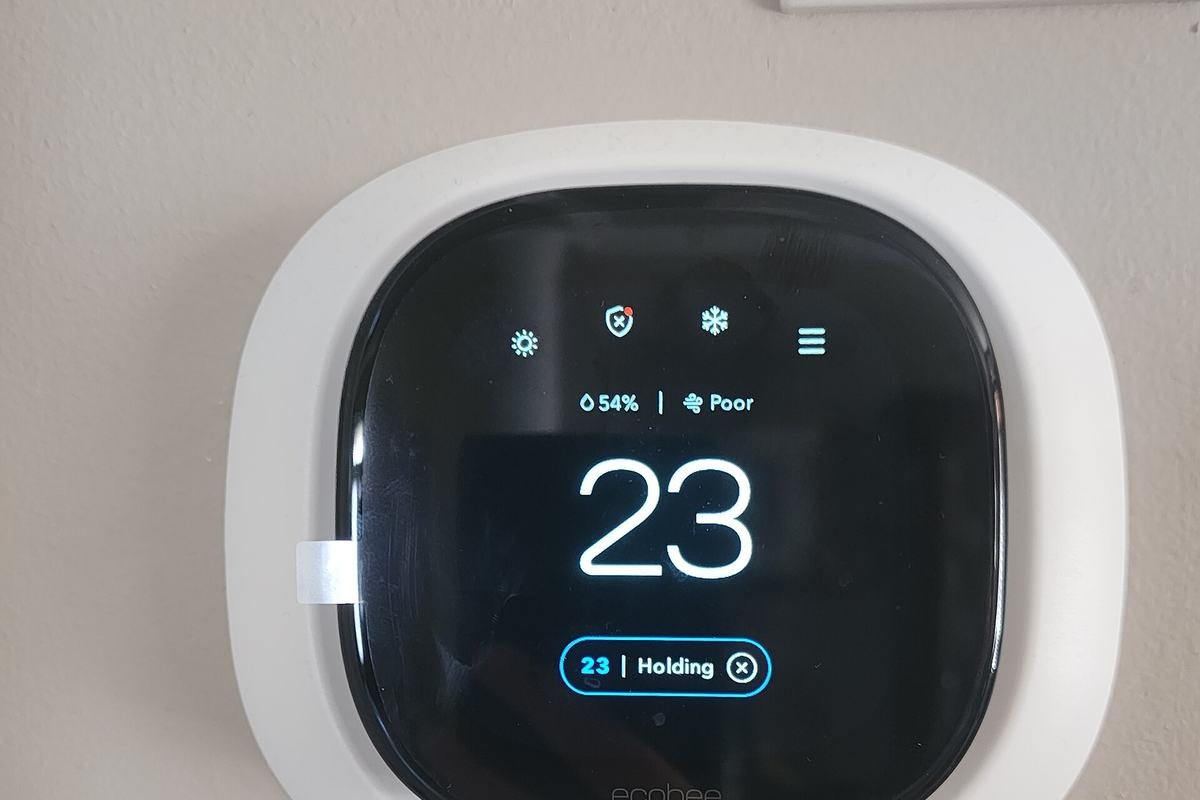
ecobee takes a different route than Nest. Instead of borrowing power from the heating and cooling wires, every ecobee is hardwired, either through a C-wire or through the Power Extender Kit (PEK), and the PEK is in the box with the Premium. According to ecobee’s Power Extender Kit page, you install the kit at the furnace control board. It combines the Y (cooling) and G (fan) signals into one wire, which frees a wire to act as the C connection, so no new cable goes through the wall.
The limits matter. ecobee says the PEK only works with 24VAC systems and is not compatible with millivolt, high-voltage, dual-transformer, fan coil or communicating systems. It needs at least four wires, so a two-wire heat-only system is out. ecobee also says most of its installs don’t need the PEK at all, and that the Premium works with over 95% of HVAC systems. Beyond power, the Premium adds an included SmartSensor for room-by-room comfort, air-quality monitoring and built-in Alexa. ecobee lists it at $259.99. Expect ~$230–$260. Check the current Amazon price.
Pros: Adapter included; steady hardwired power; broad compatibility; room sensor in the box.
Cons: You have to open the furnace to fit the kit; no help for two-wire systems; priciest ecobee.
Bottom line: The safest all-around buy if you have four or more wires and can reach your furnace.
Best value with an adapter in the box: ecobee Smart Thermostat Enhanced
Who it’s for: People who want ecobee’s hardwired approach and the included adapter, but not the Premium’s price.
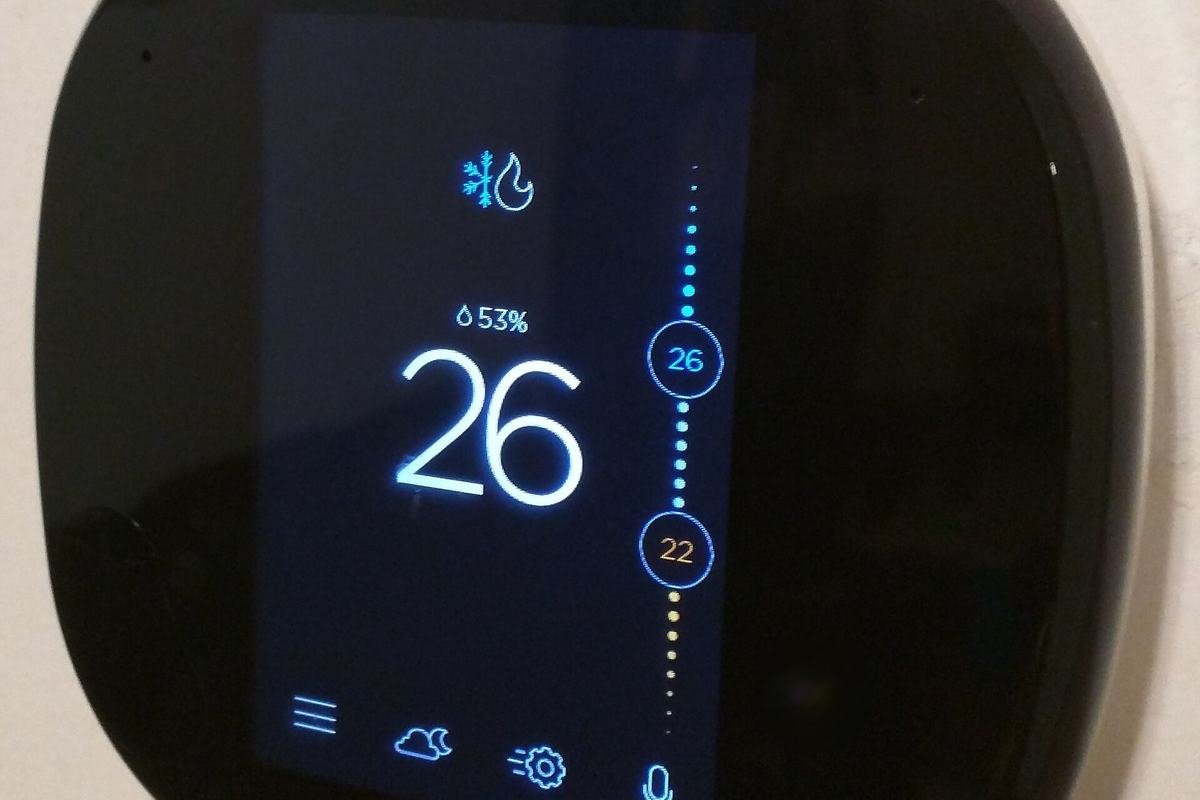
The Smart Thermostat Enhanced also ships with the Power Extender Kit. ecobee’s product page lists it in the box and says the kit lets you power the thermostat without running a fifth wire. You get built-in radar occupancy sensing and the same app, and it works with ecobee SmartSensors if you buy them separately. ecobee lists compatibility with most 24VAC equipment, including furnaces and air conditioners (2H/2C), heat pumps (2H/2C plus one stage of aux heat) and boilers.
One catch is easy to miss: ecobee’s installer page says that on the Enhanced, installing with the PEK removes the option for accessory control (such as a humidifier wired to the thermostat). The same four-wire, 24VAC-only limits as the Premium apply. ecobee lists it at $199.99. Expect ~$170–$200. Check the current Amazon price.
Pros: Adapter included; built-in occupancy sensing; about $60 less than the Premium at list price.
Cons: No room sensor in the box; loses accessory control when installed with the PEK; still needs furnace access.
Bottom line: The best price for a smart thermostat that comes with a C-wire fix in the box.
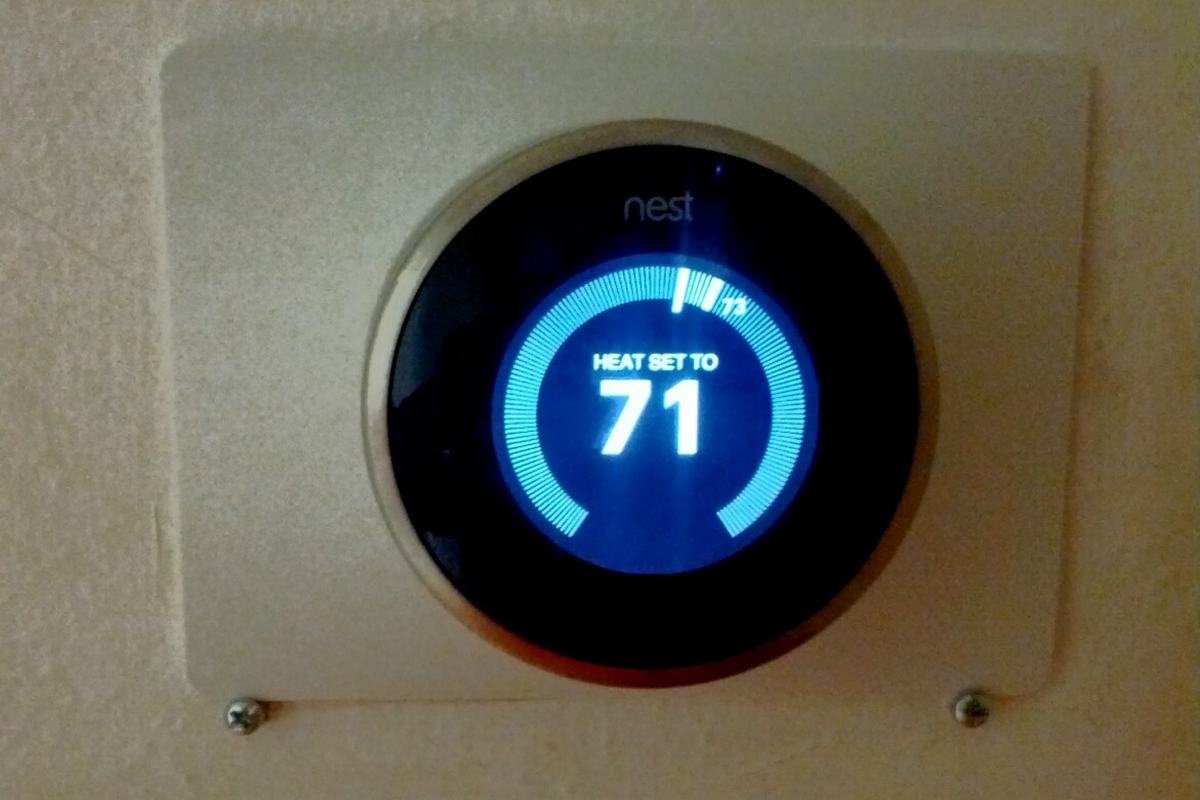
Best if you don’t want to touch the furnace: Google Nest Learning Thermostat (4th gen)
Who it’s for: Renters, condo owners and anyone who would rather not open the furnace, in a Google Home household.
Google’s Nest Learning Thermostat (4th gen) spec page says it’s designed to work whether or not your home has a C wire, using what Google calls Power Sharing. It adds that in limited cases (under 1%), a C wire or the Nest Power Connector may be needed to keep the thermostat powered in all conditions. Google’s help pages list the Power Connector as compatible with the 4th gen, and it’s $24.99 on the Google Store.
Power Sharing is not free, though. Google’s own help page says that when a Nest thermostat doesn’t get enough power, you may see a draining battery, repeated Wi-Fi disconnects, power help codes, or features such as the remote sensor, Matter support and occupancy detection being turned off. Run Google’s compatibility checker first (it tells you if you’ll need the connector). Google lists the 4th gen at $279.99. Expect ~$230–$280. Check the current Amazon price.
Pros: No adapter needed in most homes, per Google; included temperature sensor; easy self-install.
Cons: Pricey; power-sharing problems show up as Wi-Fi drops or disabled features; Google-centric.
Bottom line: The best premium pick when you want the fewest wiring changes.
Best budget Nest: Google Nest Thermostat
Who it’s for: Homes with a conventional furnace plus central AC that want a Nest for about half the Learning model’s price.
The Nest Thermostat uses power sharing too, but Google is more specific about where it falls short. In Google’s Nest compatibility table, the Nest Thermostat needs a C wire or the Nest Power Connector on heat-only and cool-only systems, on single-stage heat pumps and on some dual-fuel setups. On a typical furnace plus AC system with no C wire, it’s designed to run without one.
If you do need the Power Connector, it attaches at the furnace, air handler or zone controller, works only with 24VAC systems, and costs $24.99. Google notes that if your system has no C terminal at all, you’ll need a pro. The Google Store lists the thermostat at $129.99. Expect ~$100–$130. Check the current Amazon price.
Pros: Low price for a Nest; no adapter on most heat-plus-cool systems; works with the $25 Power Connector when needed.
Cons: Needs the connector on heat-only, cool-only and single-stage heat pump systems; fewer premium features than the Learning model.
Bottom line: The cheapest Nest that skips the C-wire, as long as you have both heating and cooling.
Best no-adapter pick with a classic look: Sensi Smart Thermostat (ST55)
Who it’s for: Furnace plus AC homes that want physical buttons, a traditional footprint and whole-home humidifier or dehumidifier support.
Sensi’s product page says the Sensi smart thermostat doesn’t need a C-wire for most systems, and the footnote spells out what “most” means: conventional heating and cooling systems don’t need one, but heat-only, cool-only, heat pump and zoned systems do. Sensi’s compatibility chart also says you need a C-wire to use it with Apple HomeKit. It covers up to 2H/2C conventional and 4H/2C heat pump systems (with a C-wire on heat pumps).
Sensi warns what happens when you ignore this: on a heat-only or cool-only system without a C-wire, the Wi-Fi connection will drop out after about two hours of operation. Safety note: in 2018 CPSC announced a recall of older Emerson-branded Sensi Wi-Fi thermostats (models 1F86U-42WF and UP500W, date codes 1416–1536) for a fire hazard if thermostat wires contact household line voltage. The current ST55 is listed under model numbers ST55, ST55U and 1F87U-42WF. Sensi lists an MSRP of $129.99. Expect ~$100–$130. Check the current Amazon price.
Pros: No adapter on conventional systems; fits the old thermostat’s wall space; humidity control.
Cons: Needs a C-wire on heat pumps and heat-only or cool-only systems; HomeKit requires a C-wire; plain LED screen.
Bottom line: A straightforward no-adapter upgrade for a typical furnace and AC.
Best budget, no adapter: Sensi Lite Smart Thermostat
Who it’s for: Budget shoppers with a simple furnace and AC who just want app control, schedules and geofencing.
The Sensi Lite follows the same rule as the Sensi smart: Sensi says it works on most conventional heating and cooling systems without a C-wire, but needs one on heat-only, cool-only and heat pump systems. It’s more limited in what it controls. Sensi lists support for single-stage (1H/1C) and multi-stage systems up to 1H/2C or 2H/1C, heat pumps up to 2H/1C, and no whole-home humidifier or dehumidifier control.
It works with Amazon Alexa, Google Home and Samsung SmartThings, per Sensi’s comparison page. Sensi lists an MSRP of $89.99. Expect ~$70–$90. Check the current Amazon price.
Pros: Lowest price of the no-adapter picks; simple install; geofencing and schedules.
Cons: Fewer stages supported; no humidifier control; needs a C-wire on heat pumps.
Bottom line: The cheapest way to go smart without a C-wire on a basic system.
Cheapest with a C-wire adapter: Amazon Smart Thermostat + Honeywell Home C-Wire Adapter
Who it’s for: Alexa households that want the lowest thermostat price and don’t mind adding a small box at the furnace.
Be clear on this one: the Amazon Smart Thermostat requires a C-wire. Amazon’s setup guide says it needs a C-wire or a C-wire power adapter, and that without one the display stays blank. Amazon also sells it in a bundle with the Honeywell Home C-Wire Adapter (THP9045A2098/U), which mounts at the furnace with a magnetic backplate and adds the extra wire that powers the thermostat.
Amazon’s C-wire adapter help page shows how it works: at the thermostat, the old G (fan) wire becomes C and the Y wire becomes K. Amazon says the thermostat needs 2.4 GHz Wi-Fi and doesn’t work with electric baseboard (120–240V) or millivolt systems. Expect ~$60–$80 for the thermostat (list price about $79.99) plus ~$25–$35 for the adapter, or buy the bundle. Check the current Amazon price.
Pros: Lowest thermostat price here; Alexa app walks you through setup; adapter sold as a bundle.
Cons: Always needs a C-wire or adapter; 2.4 GHz Wi-Fi only; you must open the furnace.
Bottom line: A cheap, reliable route if you’re comfortable installing the adapter.
Best for 2-wire boilers and millivolt heat: Mysa Smart Thermostat + Mysa Power C-Wire Adapter
Who it’s for: Homes with a two-wire heat-only boiler or a millivolt system, where most other adapters won’t help.
The Mysa Smart Thermostat (formerly Mysa for Central HVAC) needs continuous power from a C-wire, and Mysa says so plainly. What makes it useful here is the Mysa Power C-Wire Adapter. Mysa’s compatibility guide says nearly 50% of homes using its checker need the adapter, “especially two-wire heat-only boilers,” and lists millivolt systems (like older fireplaces) as supported with the adapter. The ecobee PEK and Nest Power Connector are both listed as incompatible with millivolt systems.
Mysa lists it as a 3H/2C thermostat for 24V furnaces, boilers, heat pumps and some fan-coil and PTAC units, without accessory control (no humidifier or dehumidifier). It isn’t for 120/240V baseboard heat; Mysa sells separate baseboard models for that. Mysa’s own article listed it at $159 plus $25 for the adapter. Expect ~$140–$160 plus ~$25. Check the current Amazon price.
Pros: Adapter built for two-wire boilers; millivolt support; works with Apple Home, Alexa and Google Home, per Mysa.
Cons: Always needs a C-wire or adapter; adapter sold separately; no accessory control.
Bottom line: The pick for older boiler and millivolt setups.
Buying guide: smart thermostats when you don’t have a C-wire
What a C-wire actually does
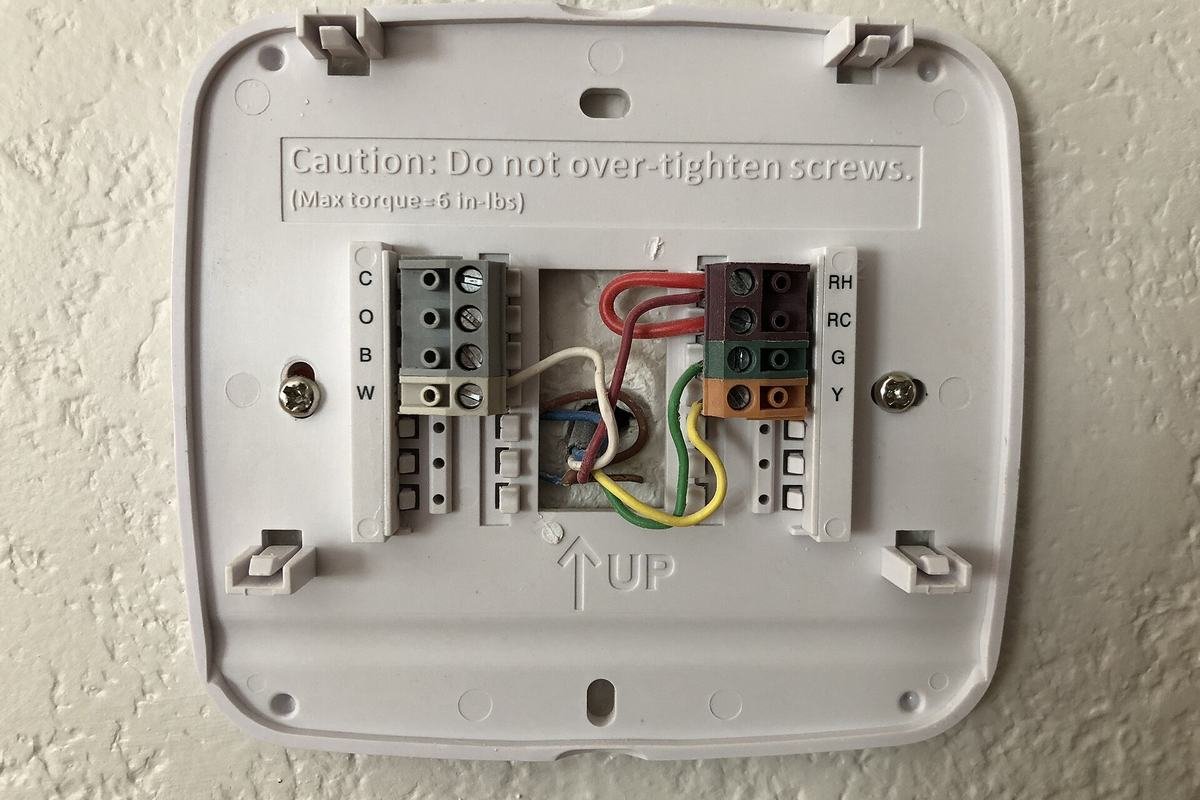
Your HVAC system has a small transformer that supplies 24 volts. The R wire brings that power to the thermostat, and the C (common) wire completes the circuit so power flows all the time, not just when the heat or AC is running. Old mechanical thermostats didn’t need constant power. Smart thermostats run Wi-Fi radios, screens and sensors, so they either need a C-wire or a workaround. Mysa’s support pages note that wire colors vary, so go by the terminal labels, not colors.
Step 1: Check what you already have
- Look at the thermostat base. Turn off power to the HVAC system at the breaker or switch first. If a wire sits in the C terminal, you already have one.
- Look for a spare wire. Thermostat cables often include an extra unused wire folded behind the wall plate. If you find one, Mysa and Sensi both describe connecting it to C at the thermostat and at the furnace control board. That’s the cheapest fix.
- Count the wires. Four or more (R, G, Y, W) opens up adapter kits like ecobee’s. Two wires usually means a heat-only system, which narrows your options.
- Take photos of the thermostat wiring and the furnace control board. Every maker’s support team asks for them.
Step 2: Pick one of four workarounds
- Power sharing (no adapter). The thermostat draws a small amount of power through the heating and cooling wires. Nest calls this Power Sharing; the Sensi smart and Sensi Lite also support it on conventional heating and cooling systems.
- An adapter at the furnace. ecobee’s Power Extender Kit, the Nest Power Connector, the Honeywell Home C-Wire Adapter and the Mysa Power C-Wire Adapter all install near the control board and create a C connection without a new wire through the wall. Each one is made for its own brand: ecobee says its PEK only works with ecobee thermostats, and Google warns that some third-party C wire adapters can cause problems or damage a Nest thermostat, even if they claim to be Nest compatible.
- Repurpose the G (fan) wire. Sensi’s C-wire page lists using the G wire as a C wire as an option. Since G normally controls the fan, you give up a separate fan-only control on most systems, so this is a trade-off, not a free fix.
- Add a wire electronically or with a transformer. Venstar’s Add-A-Wire accessory lets a thermostat that needs five wires run on four. For a two-wire heat-only system, Sensi mentions installing a separate 24VAC transformer to power the thermostat. Both are jobs many people hand to an HVAC pro.
Step 3: Know the risks of power stealing
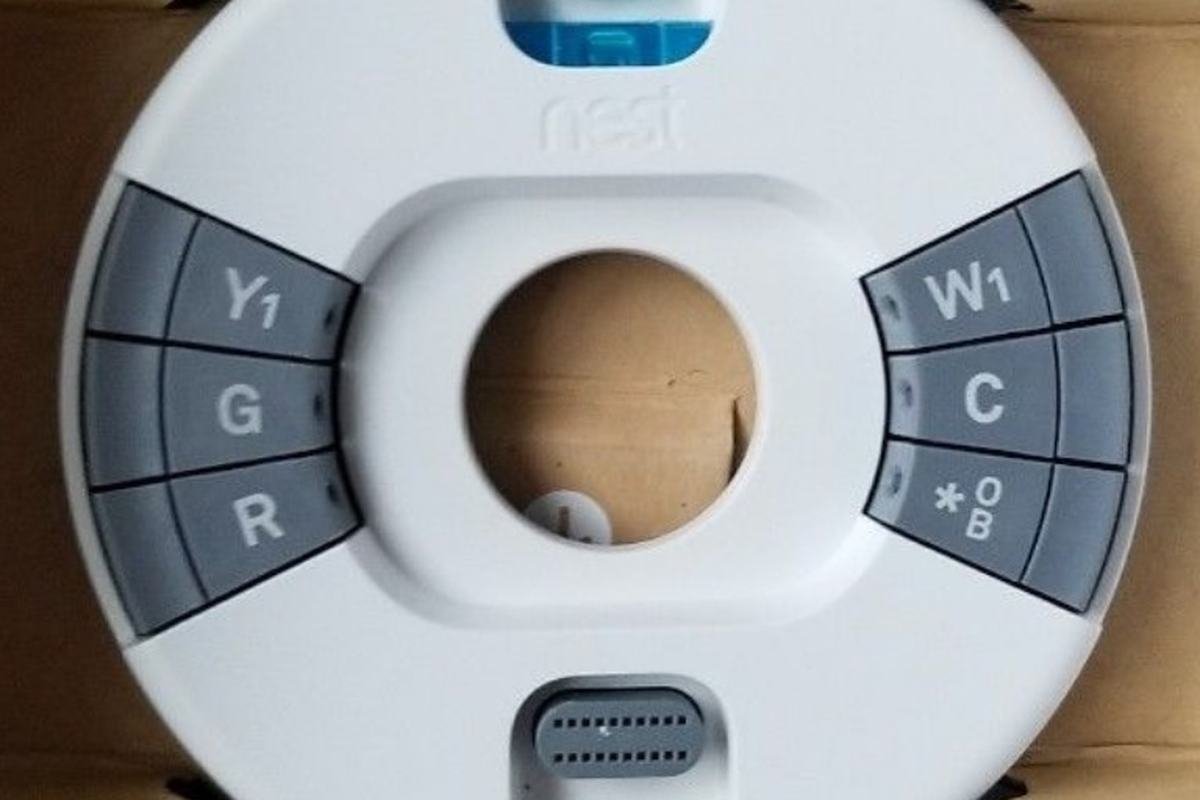
Power sharing works in a lot of homes, but it is the most common source of no-C-wire trouble. Here’s what the makers themselves say:
- ecobee says thermostats that borrow power from the heating and cooling wires can lose reliability in extreme weather, which is why every ecobee is hardwired through a C-wire or its kit.
- Google lists the signs a Nest isn’t getting enough power: the battery keeps draining, Wi-Fi keeps disconnecting, power help codes appear, or features like the remote sensor and occupancy detection get turned off. Google also says some heat-only, cool-only, zoned and heat pump systems need a C wire or the Power Connector.
- Sensi says a heat-only or cool-only system without a C-wire will drop its Wi-Fi connection after about two hours of operation.
- Owners report it too. In one r/ecobee thread, a homeowner with a Nest and no C wire said their A/C wouldn’t run for more than two minutes before cutting off due to low voltage. In another, a renter with only two wires found the ecobee kit needed more wires than they had, and the furnace was off-limits to them.
If you see any of these symptoms, add a C-wire or the maker’s adapter instead of living with it.
Step 4: Rule out systems none of these fit
- Line-voltage heat (120/240V baseboard): Google, Sensi, Amazon and Mysa (central model) all list these as incompatible. Look for a line-voltage thermostat instead; Mysa sells separate baseboard models.
- Millivolt systems (some gas fireplaces and wall heaters): ecobee’s PEK, the Nest Power Connector, Sensi and Amazon all list these as incompatible. Mysa says its thermostat supports them with its adapter.
- Communicating or proprietary systems: Sensi and ecobee’s PEK list these as incompatible. Check your HVAC maker’s thermostat options.
Safety notes
- Power off first. Amazon, Google and Mysa all say to turn off power to the HVAC system at the breaker or system switch before removing the thermostat or opening the furnace. Amazon also notes that permits or professional installation may be required in some areas.
- Not comfortable at the control board? Google and Amazon both suggest hiring a pro to install the adapter if you’re unsure. Dual-fuel and dual-transformer systems are jobs Google says to leave to a pro.
- Recalls. On November 16, 2026 we searched CPSC’s saferproducts.gov recall database for “thermostat” and each brand. We found no recall of any current model listed here. The relevant one: a 2018 recall of older Emerson-branded Sensi Wi-Fi thermostats (models 1F86U-42WF and UP500W, date codes 1416–1536) due to a fire hazard. If you own an older Emerson Sensi, check the date code on the back. Other thermostat recalls we found were older White-Rodgers and Honeywell models not covered in this guide. Check CPSC.gov for the latest.
Once the thermostat is in, a few other upgrades help on cold nights: a bedroom space heater for the one room the furnace never quite reaches, and smart plugs to put that heater or a humidifier on the same schedule.
Also considered
- ecobee Smart Thermostat Essential: works without a C-wire, but the Power Extender Kit is sold separately (~$25), which erases much of its price advantage over the Enhanced.
- Honeywell Home T9 and T5: Honeywell says the T9 comes with a C-wire adapter, and its T5 listing includes one too, but Honeywell’s own store showed the T9 sold out and the T5 unavailable when we checked, so we left them out.
- Sensi Touch 2: Sensi says it always requires a C-wire, so it doesn’t fit this guide.
FAQ
Can a smart thermostat work without a C-wire?
Yes, many can. Nest thermostats and the Sensi smart and Sensi Lite use power sharing on many systems, and ecobee’s Premium and Enhanced include a Power Extender Kit that creates a C connection at the furnace. Heat-only, cool-only and heat pump systems are where you’re most likely to still need a C-wire or adapter.
Does the Nest thermostat need a C-wire?
Usually not. Google says the Nest Learning Thermostat (4th gen) works with or without a C wire, with under 1% of homes needing a C wire or the $24.99 Nest Power Connector. The cheaper Nest Thermostat needs a C wire or the Power Connector on heat-only, cool-only and single-stage heat pump systems.
Does ecobee work without a C-wire?
Yes, with the Power Extender Kit, which is included with the Premium and Enhanced and sold separately for the Essential and Lite. The kit needs at least four wires (R, G, Y, W) and a 24VAC system. ecobee says most installs don’t need it at all.
Does the Amazon Smart Thermostat need a C-wire?
Yes. Amazon says it requires a C-wire or a C-wire power adapter, and sells it bundled with the Honeywell Home C-Wire Adapter for homes without one.
I only have two thermostat wires. What are my options?
Two wires usually means a heat-only system. ecobee’s kit needs four wires, and Sensi and the Nest Thermostat need a C-wire on heat-only systems. Your options are Mysa with its C-Wire Adapter (which Mysa says is aimed especially at two-wire heat-only boilers), a separate 24VAC transformer installed by a pro (which Sensi mentions), or running a new thermostat cable. Check the Nest Learning Thermostat with Google’s compatibility checker too.
Can I use the G wire as a C-wire?
Often, yes. Sensi lists it as an option, and Amazon’s C-wire adapter instructions also reassign the G wire as C at the thermostat, with the adapter at the furnace doing the switching. Without an adapter, moving G to C usually means you lose separate fan-only control.
Is power stealing bad for my HVAC system?
It isn’t automatically a problem, but it can cause trouble on some systems. The makers list draining batteries, Wi-Fi dropouts and disabled features, and owners have reported equipment cutting off early. If you see any of those, add a C-wire or the maker’s adapter.
How we picked
We checked these sources on November 16, 2026:
- Search demand: “best smart thermostat without c wire” showed up in our own Google Search Console data, which is why we wrote this guide.
- Current top results for this exact search: roundups from Eco Home Intelligence, Mysa’s own blog and Android Central. We logged which brands each one covered (ecobee, Nest, Sensi, Honeywell, Amazon, Mysa) but verified every claim on the maker’s site.
- Maker pages: ecobee’s Premium, Enhanced, Essential, Power Extender Kit, installer and buying-guide pages; Google’s Nest Learning (4th gen) spec page, Nest Thermostat and Nest Power Connector store pages, and Nest compatibility, Power Connector and “no power” help pages; Amazon’s Smart Thermostat setup guide, C-wire adapter and safety help pages, the Amazon bundle listing and a Best Buy listing; Sensi’s product, comparison, compatibility and C-wire pages; Mysa’s overview, compatibility, wiring and C-wire adapter support pages; Honeywell Home’s T9 support page and T5 product page; and Venstar’s Add-A-Wire page.
- Community: two Reddit r/ecobee threads from owners who ran into no-C-wire problems with Nest and ecobee.
- Safety: the CPSC / saferproducts.gov Recall API for “thermostat” and each brand.
We kept thermostats that are currently sold and that the maker says can run without an existing C-wire, either by power sharing or with an adapter in the box or sold for that model. Then we picked one for each situation (best overall, value, no furnace work, budget Nest, classic look, budget, Alexa, two-wire boilers) and listed exactly which systems still need a C-wire.
Verdict
The best smart thermostat without a C-wire depends on your wires and your furnace. Check the current Amazon price:
- ecobee Smart Thermostat Premium: best overall (adapter in the box, steady hardwired power).
- ecobee Smart Thermostat Enhanced: best value with an adapter included.
- Google Nest Learning Thermostat (4th gen): best if you don’t want to touch the furnace.
- Google Nest Thermostat: best budget Nest for furnace plus AC homes.
- Sensi Smart Thermostat: best no-adapter pick with a classic look.
- Sensi Lite: best budget pick with no adapter.
- Amazon Smart Thermostat + C-Wire Adapter: cheapest with an adapter.
- Mysa Smart Thermostat + adapter: best for two-wire boilers and millivolt heat.
More buying guides on Home Upgrade Atlas
Browse all guidesRelated buying guides
- Ecobee vs Nest vs Amazon Smart Thermostat (2026) (head-to-head: C-wire, Alexa, Google, Apple Home, sensors and price)
- Best Smart Thermostats (2026) (Nest vs ecobee vs budget picks for any home)
- Best Space Heaters for Bedroom (2026) (for the room the furnace doesn’t reach)
- Best Smart Plugs for Beginners (2026) (schedule heaters, humidifiers and lamps)
- Best Smart Locks for Renters and Front Doors (2026) (more smart home upgrades)
- Best Humidifiers for Bedroom (2026) (for dry air in heating season)
- Best Electric Blankets (2026) (turn the thermostat down at night)
Photo credits: All photos from Wikimedia Commons unless noted, cropped: hero by AG20044018 (CC BY-SA 4.0); Xynorath (CC BY-SA 3.0); Shadowncs (CC BY-SA 4.0); Raysonho (CC0); Bill Bradford (CC BY 2.0); Shixart1985 (1, 2, 3; CC BY 2.0); FASTILY (CC BY-SA 4.0); Saulinpa (CC BY-SA 4.0); social card photo by grantsewell (CC BY-SA 2.0); and Alexander Mass (Pexels License). Licenses: CC BY 2.0, CC BY-SA 2.0, CC BY-SA 3.0, CC BY-SA 4.0. All product photos are representative, not the exact products listed.
As an Amazon Associate we earn from qualifying purchases. Product names and trademarks belong to their owners. Availability and prices change.